OM System RS-31N Foot Pedal

Overview:OM System RS-31N Foot Pedal
Please note that this foot pedal does not come with any transcription software. This pedal will only work with ODMS Cloud and ODMS R8 Transcription Module.
The RS-31N pedal will not work with earlier Olympus software.
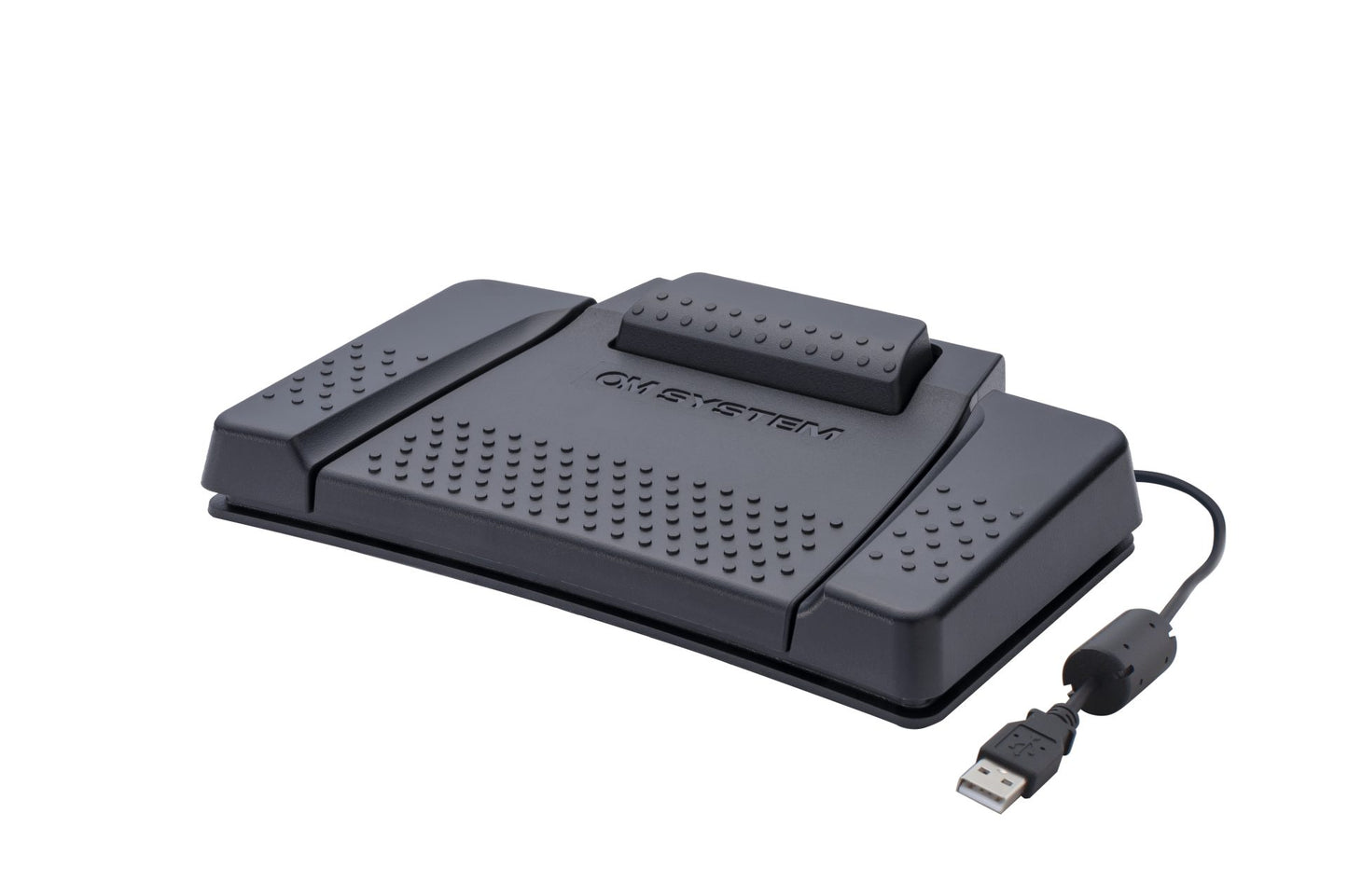
The RS31N foot pedal features four buttons for effortless control of your transcription software. Seamlessly play, stop, rewind, and more with just a tap of your foot, enabling smooth navigation through your dictation files while you continue transcribing.
The fourth button provides extra functionality and also features a lockable centre and top paddle for extra security.
OM SYSTEM’s professional footswitches are engineered for robust performance, ensuring comfort even during extended operation spanning several hours.
Compatible with OM SYSTEM ODMS Cloud and ODMS R8 On-Premise dictation management software – Transcription Module (AS-R802).
Use with the OM System CR21 Docking Station for hands free dictation, using the OM System DS-9500,, DS-9100 and DS-2700 Professional Digital Dictaphones.
* The pedal can be used with some third-party software via keyboard shortcuts Just assign the desired command to the pedals with the free Olympus Foot Switch Configuration Tool.
OM System RS-31N Foot Pedal
Product Description
What's in the Box
Specifications
Optional Accessories
More Questions? Call the Pacific Transcription Products Team Today on 1300 662 173. The Best Brands, Great Prices, with Expert Advice.
FAQs
See All
Frequently asked question
Pair text with an image to focus on your chosen product, collection, or blog post. Add details on availability, style, or even provide a review.
Frequently asked question
Pair text with an image to focus on your chosen product, collection, or blog post. Add details on availability, style, or even provide a review.
Frequently asked question
Pair text with an image to focus on your chosen product, collection, or blog post. Add details on availability, style, or even provide a review.
Frequently asked question
Pair text with an image to focus on your chosen product, collection, or blog post. Add details on availability, style, or even provide a review.
Frequently asked question
Pair text with an image to focus on your chosen product, collection, or blog post. Add details on availability, style, or even provide a review.
Customer Reviews
-
Add customer reviews and testimonials to showcase your store’s happy customers.Author NameAuthor Position
-
Add customer reviews and testimonials to showcase your store’s happy customers.Author NameAuthor Position
-
Add customer reviews and testimonials to showcase your store’s happy customers.Author NameAuthor Position
OM System RS-31N Foot Pedal
Please note that this foot pedal does not come with any transcription software. This pedal will only work with ODMS Cloud and ODMS R8 Transcription Module.
The RS-31N pedal will not work with earlier Olympus software.
The RS31N foot pedal features four buttons for effortless control of your transcription software. Seamlessly play, stop, rewind, and more with just a tap of your foot, enabling smooth navigation through your dictation files while you continue transcribing.
The fourth button provides extra functionality and also features a lockable centre and top paddle for extra security.
OM SYSTEM’s professional footswitches are engineered for robust performance, ensuring comfort even during extended operation spanning several hours.
Compatible with OM SYSTEM ODMS Cloud and ODMS R8 On-Premise dictation management software – Transcription Module (AS-R802).
Use with the OM System CR21 Docking Station for hands free dictation, using the OM System DS-9500,, DS-9100 and DS-2700 Professional Digital Dictaphones.
* The pedal can be used with some third-party software via keyboard shortcuts Just assign the desired command to the pedals with the free Olympus Foot Switch Configuration Tool.